

Local Map Listings: Your Complete Guide to Optimizing Google Business Profile and Local SEO for Better Google Maps Visibility
Optimizing local map listings means setting up and continually refining your Google Business Profile (GBP) and the local signals that tell Google when to surface your business on Maps and in the local 3‑pack. Why it matters: stronger Google Maps visibility generates more calls, direction requests and foot traffic from people actively searching nearby — which converts directly into leads and revenue for storefronts and service‑area businesses. Today’s local SEO mix depends on accurate GBP data, steady review velocity, clean citations and content designed for voice and mobile search to stay competitive in 2024 and beyond. This guide explains what GBP is, which ranking factors move the needle, a step‑by‑step optimization playbook, reputation and review best practices, advanced tactics like schema and hyper‑local content, and a KPI framework to measure success. Throughout you’ll find practical checklists, comparison tables and action steps built to win featured snippets for queries like Google Maps SEO, how to get in the Google Maps 3‑pack, and local map listing optimization.
What Is Google Business Profile and Why Is It Essential for Local Map Visibility?
Google Business Profile is Google’s free dashboard for controlling your business name, category, contact details, services, photos, posts and customer interactions so Search and Maps show accurate local results. GBP gives Google clear, structured signals tied to local intent — when your profile is complete and actively managed, Google can match queries to your business more reliably based on relevance, proximity and prominence. The benefit is tangible: a well‑optimized GBP increases impressions, map views, website clicks and direct actions like calls and directions — all measurable lead sources. Completing every GBP field reduces friction for customers and strengthens the signals Google uses to rank local businesses.
How Does Google Business Profile Influence Local Search Optimization?
GBP feeds structured attributes into Google’s local ranking systems to help score relevance, prominence and proximity. Categories and service descriptions drive relevance by matching query intent; reviews, citations and backlinks build prominence as trust signals; accurate location data lets Google assess proximity for map queries. GBP also records engagement — clicks, calls, direction requests, photo views — creating a feedback loop: better engagement lifts visibility, and higher visibility generates more engagement. To make that loop work for you, choose a precise primary category, include service‑level keywords in descriptions, and keep activity consistent with posts and Q&A responses so signals stay fresh.
What Are the Key Features of an Optimized Google Business Profile?
An optimized GBP includes accurate NAP (Name, Address, Phone), carefully chosen primary and secondary categories, a clear services or products list, high‑quality photos, regular posts, answered Q&A entries and up‑to‑date attributes like payment options or accessibility. Visuals and video boost engagement and conversions, and service descriptions with local keywords improve query matching. Practical tips: use high‑resolution images (minimum 720 x 720 pixels), post at least weekly to keep your profile active, and list services with concise, keyword‑rich labels. Together, these elements make your listing easier to find and more persuasive to potential customers.
- This list highlights the GBP areas to focus on for visibility and engagement. NAP and categories: use an exact, consistent business name and the most specific primary category. Services and descriptions: write service‑level entries that mirror local search phrasing. Photos, posts, Q&A: publish regular updates and media to boost engagement.
These foundational optimizations set the stage for ranking gains and lead into the ranking factors that shape Google Maps results today.
Which Local SEO Ranking Factors Impact Google Maps Local Business Listings in 2024?
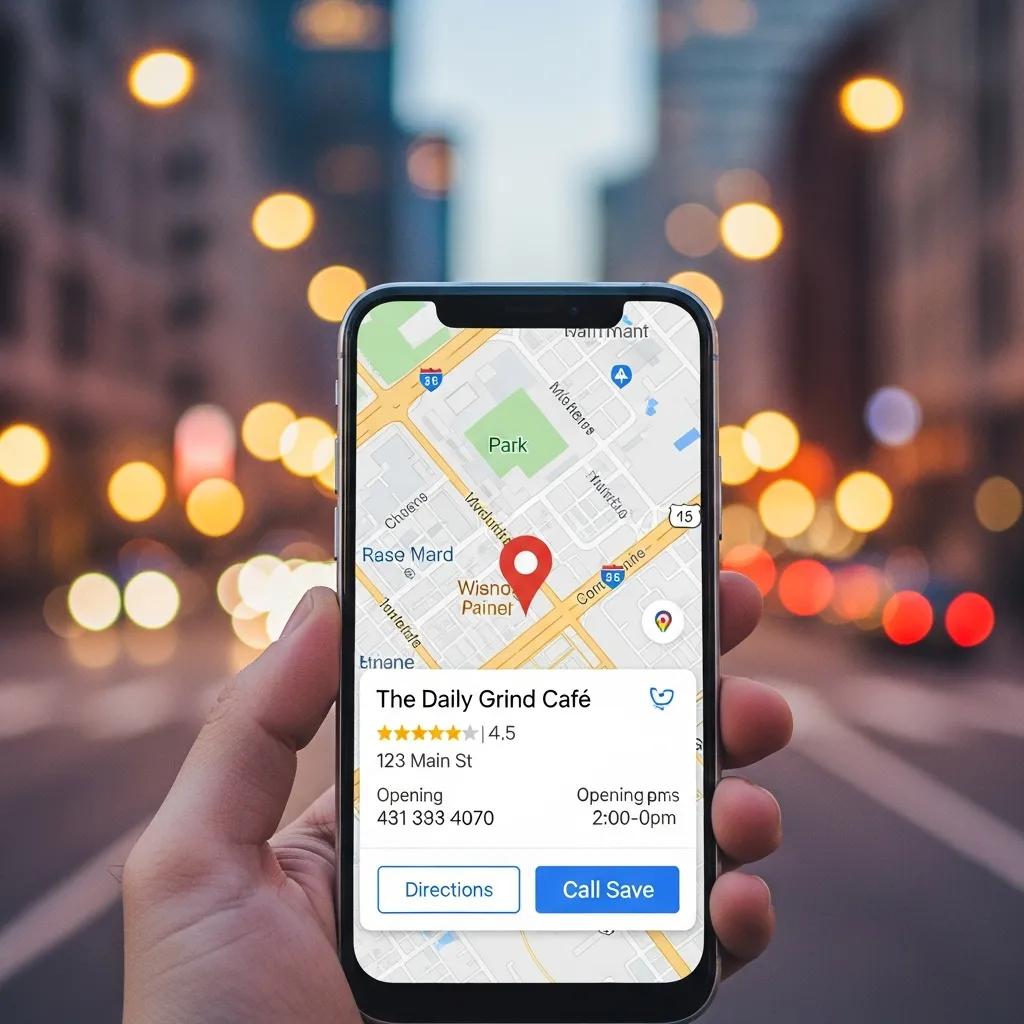
Local map rankings still rest on three core signals — relevance, prominence and proximity — but 2024 brings refinements like AI personalization, voice search cues and mobile engagement metrics that change how those factors are weighted. Relevance comes from on‑profile content and your website; prominence is driven by reviews, citations and backlinks; proximity is the searcher’s distance to your location. Newer signals include machine learning that personalizes results based on past behavior and voice patterns that favor conversational answers. To compete, you must balance profile content, reputation signals, citation health and a mobile‑friendly site.
How Do Relevance, Prominence, and Proximity Affect Google Maps Rankings?
Relevance determines whether your GBP matches search intent through categories, services and keywords; prominence signals authority via review volume, citation quality and backlinks; proximity measures geographic closeness and often decides very local queries. Practical actions: choose the most specific category for your core offering, add service descriptors that reflect how customers search, and build a steady stream of reviews and authoritative citations. The table below connects each ranking factor to concrete attributes and expected outcomes so you can prioritize work.
Intro: The table maps each core local ranking factor to actionable attributes and expected outcomes to help prioritize optimizations.
| Ranking Factor | Key Attribute | Example Action / Expected Outcome |
|---|---|---|
| Relevance | Primary category & services | Select a precise category and list core services to match more queries |
| Prominence | Reviews & local citations | Drive consistent, high‑quality reviews and authoritative citations to build trust |
| Proximity | Accurate location & service area | Use geo‑accurate address or correct service‑area settings to capture nearby searches |
This comparison shows proximity is often fixed, while relevance and prominence are levers you can control to improve local map rankings.
What Role Do Customer Reviews and Local Citations Play in Visibility?
Reviews and citations act as social proof and third‑party validation — they boost prominence for both users and Google. Review volume, recency, average rating and descriptive, keyword‑rich review text all influence algorithmic weighting and click behavior. Citations — consistent NAP listings across directories — corroborate your business identity and support local relevance. Practical fixes: audit top citation sources, correct inconsistencies and implement a review follow‑up process that encourages timely, useful feedback. Together these steps strengthen algorithmic signals and human trust when people find your listing.
How Can You Improve Google Maps Visibility Through Step-by-Step Local Map Listing Optimization?
Improving Maps visibility follows a clear sequence: claim and verify your GBP, ensure NAP consistency across the web, optimize categories and services, add photos and posts, implement a review‑generation workflow, and build authoritative citations plus on‑site local SEO. Start by claiming and verifying your profile so you control every field; then complete each section with concise, search‑aware copy. Add assets like service menus, photos and posts to increase engagement, and use Q&A and attributes to answer common questions. This ordered checklist delivers quick wins and scalable, long‑term improvements.
What Are the Best Practices for NAP Consistency and Verification?
NAP consistency begins with a canonical business name and phone used exactly the same across your website, GBP and citation sites. Verification (postcard, phone, email) confirms ownership to Google and unlocks full profile control — choose the method that fits and complete it promptly to avoid delays. A citation audit lists major directories, flags discrepancies and prioritizes fixes on high‑authority sites first. If you’re a service‑area business, set service‑area options correctly and avoid listing a public address if you don’t receive customers there.
- Citation audit checklist — use this to validate core citation sources and common fixes. Collect current NAP listings from top local directories and your site. Spot and fix inconsistencies (abbreviations, suite numbers, phone formats). Fix high‑authority directories first, then update niche sites so changes propagate.
Good verification and citation hygiene reduce customer confusion and help Google compute proximity and relevance accurately.
Intro: The table below links implementation tasks to required assets and expected impact so teams can prioritize by effort and outcome.
| Task | Required Asset | Expected Impact |
|---|---|---|
| Claim & verify GBP | Ownership verification method | Full control of the profile and faster updates |
| Add photos & videos | 8–12 high‑res images geo‑tagged | Higher clicks and more direction requests |
| Create services & attributes | Concise service list with keywords | Improved relevance for service queries |
Summary: A focused set of actions — verify, add visual assets and define services — yields outsized visibility gains when done consistently.
Many businesses choose expert help to scale these steps faster and avoid common mistakes.
MarketMagnetix Media Group turns this framework into an operational plan with tailored, ROI‑driven strategies and ongoing optimization.
If you’d rather partner than DIY, MarketMagnetix offers a collaborative approach with a dedicated contact, clear reporting and a long‑term cadence to protect and grow local pack rankings and lead flow.
Why Are Customer Reviews and Reputation Management Critical for Local Search Success?

Reviews send two signals: they affect Google’s prominence scoring and they shape user behavior by changing click and conversion likelihood. Recent, high‑quality reviews build trust and can prompt searchers to call or visit; unmanaged negative feedback can lower conversions and weaken prominence signals. Reputation management is both defensive and proactive: ethically asking for reviews, responding quickly and using feedback to improve service. A strong reputation program reduces churn and amplifies positive signals that support better local rankings.
How to Encourage and Manage Customer Reviews Effectively?
Ask for reviews after positive interactions and give customers a short, frictionless path to leave feedback (receipt, SMS or email). Follow review policies — don’t offer incentives for positive reviews — and use automation to send timely reminders without spamming. Prepare response templates for thanking positive reviewers and calm, solution‑focused replies to negative feedback that move the conversation offline. Track review velocity and themes so you can prioritize operational fixes and encourage authentic review language that also helps local search relevance.
- Effective review‑request workflow — a simple sequence to increase review volume ethically. Ask in person at point of service and follow up with a brief reminder within 48–72 hours. Give clear, step‑by‑step instructions and multiple channels (email or SMS). Reply to every review with a personalized message that thanks or offers resolution.
These steps improve review recency and quality, which lifts both user trust and algorithmic prominence.
What Impact Do Reviews Have on Google Maps Ranking and Trust Signals?
Reviews matter in three ways: volume drives prominence, recency signals ongoing relevance, and review text that mentions local keywords can help semantic relevance for queries. A higher average rating typically improves click‑through rates, and timely, helpful responses show active management that increases user confidence. For local algorithms, a steady stream of recent, varied reviews beats occasional spikes because it signals consistent satisfaction. Encourage reviews that mention specific services or neighborhoods to maximize both ranking and conversion benefits.
What Advanced Local Search Optimization Strategies Boost Google Maps Visibility?
Beyond core GBP work, advanced tactics include adding LocalBusiness schema to key pages, building hyper‑local landing pages for neighborhoods and services, optimizing conversational content for voice search, and geo‑tagging images to reinforce local signals. These strategies help search engines and AI models understand the contextual links between your business and local intent, increasing the chance of appearing for nuanced queries. Businesses that combine structured data with targeted local content often capture more featured snippets and voice answers for transactional local searches.
How to Use Structured Data and Schema Markup for LocalBusiness?
LocalBusiness schema (JSON‑LD) exposes explicit properties — name, address, geo coordinates, telephone, openingHours, serviceType and aggregateRating — that search engines use for rich results and to improve local understanding. Add schema to your homepage, contact page and service pages, and choose a subtype that matches your business (for example, LocalBusiness → ProfessionalService). Don’t forget geo.latitude/longitude and aggregateRating to complement GBP signals. Validate markup with schema testing tools and monitor rich result behavior to confirm parsing is working.
- Schema implementation checklist — include these properties to support LocalBusiness discovery. name, telephone and address (or serviceArea for non‑storefronts). geo coordinates and openingHours to support map and local intent signals. aggregateRating and serviceType to surface review and service context.
Correct schema augments GBP signals and increases the chance of rich elements in search results, improving prominence and click rates.
What Are the Benefits of Voice Search and Hyper-Local Content?
Voice search and hyper‑local content capture conversational queries like “who’s the best plumber near my loft in [neighborhood]” that standard pages can miss. Writing in natural language, creating micro‑pages for neighborhoods and using FAQ schema for common voice queries helps match long‑tail, question‑style searches. Hyper‑local pages about events, landmarks and specific service areas add contextual relevance that supports proximity and relevance signals. Together these tactics broaden your local footprint and improve discovery across search modalities.
How Do You Measure and Monitor the Performance of Your Local Map Listings?
Measure GBP performance with a KPI framework that links visibility to actions: search and maps views, website clicks, phone calls, direction requests, appointment bookings and review metrics. Use GBP Insights, Google Analytics 4, Search Console and specialized local tracking tools for complementary views of impressions, engagement and ranking. Set a monitoring cadence — weekly checks for urgent issues, monthly trend reviews for optimization and quarterly strategy sessions to test hypotheses — so you can prioritize high‑ROI experiments. That measurement loop ensures optimizations produce tangible lead and revenue outcomes.
Which KPIs and Tools Track Google Business Profile and Local SEO Success?
Core KPIs include search views, maps views, website clicks from GBP, calls, direction requests and review volume/velocity. Each KPI aligns with tools: GBP Insights shows immediate profile engagement, GA4 ties GBP clicks to on‑site conversions, Search Console surfaces organic query performance, and local rank trackers measure pack visibility over time. The table below pairs KPIs with tools and a recommended monitoring cadence to help you stay organized.
Intro: Use this KPI table to align metrics with tools and a recommended monitoring cadence.
| KPI | What it Indicates | Recommended Tool / Cadence |
|---|---|---|
| Search & Maps Views | Visibility trends in local search | GBP Insights / weekly |
| Website Clicks | Interest leading to site engagement | GA4 / weekly |
| Calls & Directions | Offline conversions and foot traffic | GBP Insights / daily to weekly |
| Review Volume & Rating | Reputation and prominence | Manual tracking + aggregator / weekly |
Summary: Tracking these KPIs with the right cadence surfaces immediate issues and long‑term opportunities so you can prioritize local SEO work effectively.
MarketMagnetix Media Group recommends building a simple KPI dashboard that consolidates these signals into a weekly snapshot and a monthly report. For busy owners, MarketMagnetix provides managed reporting and a regular optimization cadence focused on proactive improvements, clear communication and measurable lead outcomes.
How to Use Insights to Continuously Optimize Your Local Map Listing?
Turn data into action with an iterative loop: analyze engagement and ranking trends, form a hypothesis (category tweak, new post, review push), run a controlled test, and measure impact over a defined period before iterating. Prioritize tests by impact versus effort: quick wins like updating attributes or adding photos come first; larger investments like new hyper‑local pages follow. Document changes and results so your team learns what scales. This analyze→test→iterate loop keeps GBP signals fresh and aligned with changing user behavior and AI personalization in 2024.
- Optimization loop steps — a concise sequence to operationalize continuous improvement. Analyze KPI trends and identify the biggest gaps. Hypothesize a focused change based on the data (e.g., new category or post). Test the change for a set period and measure impact before scaling.
These steps ensure optimizations are evidence‑based and build cumulative improvements in local visibility and conversions.
Which KPIs and Tools Track Google Business Profile and Local SEO Success?
GBP Insights, GA4, Search Console and specialized local tools like BrightLocal or other rank trackers each offer a unique perspective. Use GBP Insights for profile interactions, GA4 to connect GBP clicks to on‑site conversions, and a local rank tracker for historical pack position. Set alerts for sudden drops in views or spikes in negative reviews so you can act fast. Regular reporting ties visibility gains back to business outcomes and helps prioritize the next optimization tests.
- Tool‑to‑metric mapping — prioritized tools and their primary use. GBP Insights: profile engagement and direct actions. GA4: website behavior and conversion attribution. Local rank trackers: pack visibility and ranking trends.
Together these tools form the data foundation for ongoing improvement and prove the ROI of local SEO efforts.
Frequently Asked Questions
What are the common mistakes to avoid when optimizing a Google Business Profile?
Common mistakes include not verifying your listing, leaving information out of date and using inconsistent NAP across platforms. Ignoring reviews or skimping on image quality also reduces visibility. Avoid keyword stuffing in descriptions — it looks unnatural to users and can trigger penalties. Regular audits and timely updates keep your profile healthy and discoverable.
How often should I update my Google Business Profile?
Make profile updates a regular habit. Refresh at least once a month, and update more often for seasonal offers, new services or hours changes. Frequent posts, timely review responses and fresh photos signal activity to Google and improve engagement — which helps local rankings.
Can I manage multiple Google Business Profiles for different locations?
Yes. If you operate in multiple locations, give each location its own profile with accurate NAP and location‑specific content. Google allows managing multiple listings from one account, which helps maintain consistency and optimize each profile for its local audience.
What is the impact of photos on my Google Business Profile?
Photos have a measurable impact. Listings with strong image libraries see higher engagement — many businesses report lifts in direction requests and click‑throughs when images are updated regularly. Use a mix of team, product, interior and exterior shots and refresh them frequently to keep the profile attractive and trustworthy.
How can I track the effectiveness of my Google Business Profile optimizations?
Use GBP Insights, Google Analytics and local rank trackers to monitor key metrics like search views, website clicks, direction requests and review trends. Review the data weekly for urgent issues and monthly for optimization planning so you can confirm that changes are driving the results you expect.
What are the benefits of using schema markup for my business?
Schema provides search engines with structured context about your business and increases the chances of rich snippets in search results. LocalBusiness schema helps surface details like location, services and reviews, which can improve visibility and click‑through rates. Properly implemented schema complements GBP and supports richer search appearances.
Ready to align your local listings with this playbook?
**