


Apple Maps SEO Guide 2025: How to Optimize Your Business for Local Search Success
Apple Maps SEO is the practical set of steps that helps your business surface more often across Apple experiences — Maps, Spotlight, and Siri. This guide explains why Apple Business Connect and Bing Places matter for cross-platform local visibility, how verification and a complete profile drive direction requests and contact conversions, and which on-profile fields carry the most weight. Too many local businesses miss straightforward fixes — messy categories, inconsistent NAP (name, address, phone) records, and thin service descriptions — and lose discovery and foot traffic as a result. Here you’ll find a clear, current roadmap to audit, claim, optimize, and measure listings on Apple Maps and Bing Places, plus platform-specific checklists, comparison tables, and a 90-day tactical plan that aligns website schema, local citations, and review generation to measurable KPIs.
We base this advice on observable platform behavior and documented features, not speculation about hidden ranking formulas. The guide weaves in semantic SEO techniques — precise categories, keyword-aware service copy, and schema markup — to improve match with local queries. We also link Apple and Bing work to Google Business Profile and broader citation strategy so you can treat local visibility as an ecosystem, not isolated tasks. Each major section includes quick-answer lists and concise H3 deep dives on setup, verification, and upkeep. The guide closes with practical monitoring recommendations and a sample reporting table to keep your improvements measurable and repeatable.
How Does Apple Business Connect Enhance Local Visibility?
Apple Business Connect is Apple’s portal for managing the business data that appears across Maps, Siri, and Spotlight. A verified, well-completed Business Connect profile supplies canonical attributes — categories, services, photos, hours, and directions — that Apple uses to match queries and surface results. In short: richer, accurate profile data increases the odds that Maps and Apple assistant queries will return your business for local intents like “near me” and “directions to.” The payoff shows up as more profile impressions, more direction requests, and more direct customer contacts when core fields align with searcher intent.
Apple also pulls from first-party datasets and user signals, which can speed propagation of updates across its ecosystem. Precise category choices and clear service listings act as semantic anchors for matching queries, while quality photos and correct hours improve click-through and engagement. Knowing how these pieces fit together helps you complete an optimized profile and prioritize the fields that matter most for local match and conversions.
What Are the Key Features of Apple Business Connect for Local SEO?
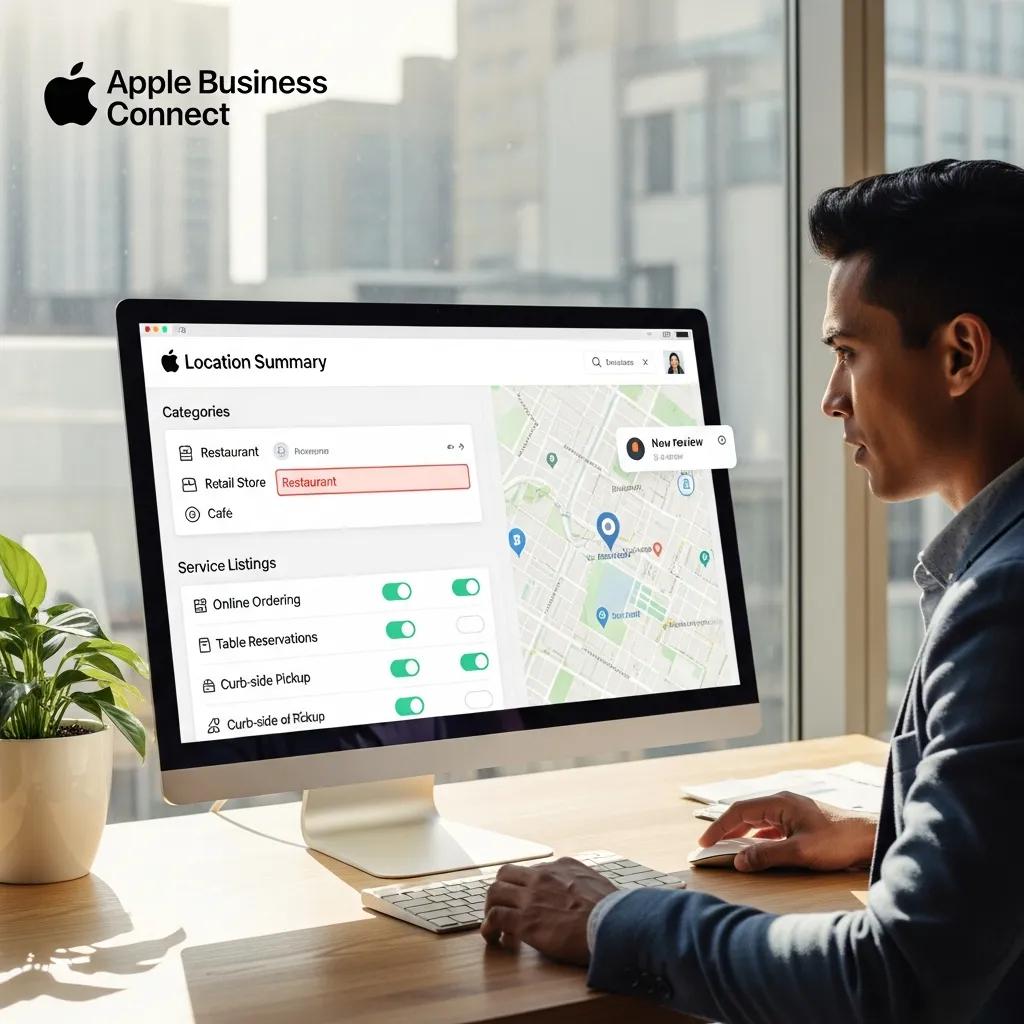
Apple Business Connect exposes specific profile fields — primary and additional categories, services, phone, website, photos, accessibility attributes, and business descriptions — that together shape how Apple presents a place. Each field has a role: categories map to intent, services capture long-tail searches (think “brunch delivery”), photos build trust, and accurate hours prevent frustrating user experiences. Filling these with concise, keyword-aware values reduces friction between query and conversion.
Quick wins include selecting the most accurate primary category (avoid vague umbrellas), listing granular services that reflect real customer searches, and uploading recent photos with useful filenames or captions when possible. Those fixes send clearer semantic signals to Apple and increase the chances your profile appears in relevant map-pack contexts. Treat these attribute optimizations as the foundation before you move on to citation consistency and review generation.
How to Set Up and Verify Your Apple Business Profile Effectively?
Start by claiming your place, then complete all required fields with consistent NAP data and correct category choices. Request verification through Apple’s documented flow — verification confirms the business’s legitimacy and improves trust. Prepare supporting materials that match your official identity (uniform business name, a matching website presence, and public directory listings) so Apple can validate your listing quickly. After verification, follow a post-verification checklist: confirm categories, add service descriptions, upload multiple high-quality photos, and verify hours and contact options.
Common verification issues include inconsistent names, placeholder addresses, or conflicts with public citations — these will delay approval. If verification stalls, audit public citations and on-site schema for discrepancies, correct them, and re-submit. A completed, verified profile improves discoverability and increases the chance of higher-quality engagement like calls and direction requests.
What Are the Best Practices for Bing Places for Business Optimization?

Bing Places for Business is Microsoft’s local listing platform that feeds Bing search and other Microsoft experiences. Optimizing Bing Places follows a predictable flow: claim the listing, verify ownership, complete platform-specific attributes, keep NAP consistent across citations, and actively manage photos and reviews. These actions matter because Bing places heavier emphasis on on-profile signals and cross-source citation consistency.
Use a concise checklist to keep the work repeatable. The same disciplined approach applies to businesses of any size: keep listings updated, monitor for duplicates, and respond to reviews. Stale or inconsistent data erodes trust and reduces local match just as much on Bing as it does elsewhere.
- Claim: Find and claim the correct Bing Places entry so you can edit it.
- Verify: Complete the verification method Bing provides for your business to unlock full editing rights.
- Optimize: Choose accurate categories, fill service menus, upload photos, and ensure NAP is consistent.
- Monitor: Regularly review insights, update seasonal hours, and respond to reviews.
This checklist establishes a baseline for ongoing optimization; steady execution improves the chance Bing will return your listing for relevant local queries. If you prefer expert help, MarketMagnetix Media Group offers targeted Bing Places audits and can fix duplicates and category mismatches efficiently.
Introductory table: key Bing listing attributes and recommended formatting. Use this to prioritize which fields to audit first and how to format them when you edit a Bing Places profile.
| Listing Attribute | Recommended Format | Why It Matters |
|---|---|---|
| Primary Category | Use the most specific category available | Directly maps to search intent and relevancy |
| Services / Menu | Short, keyword-rich service lines | Captures long-tail and service-area queries |
| NAP | Exact business name and phone everywhere | Citation consistency supports ranking stability |
| Photos & Hours | Recent photos; accurate seasonal hours | Improves engagement and prevents bad experiences |
This side-by-side helps you prioritize high-return fields. Fix categories and NAP first for the largest short-term visibility gains.
How to Claim and Manage Your Bing Places Listing?
Claiming and managing a Bing Places listing starts with locating the existing entry and asserting ownership through Bing’s claim flow. Pick the verification method that fits your business type, then fill every available field with precise, consistent data — primary and secondary categories, service lines, photos, and accurate hours.
Maintenance tasks include monitoring for duplicates, merging entries when appropriate, responding to reviews, and updating promotional or seasonal hours. Practical maintenance steps: schedule quarterly audits, keep a central record of your canonical NAP and category choices, and follow platform procedures to escalate unresolved duplicates. Regular management stops data drift across directories and preserves the ranking signals you’ve built.
Which Information Is Crucial for Bing Local Search Ranking?
Bing’s local ranking signals prioritize accurate NAP, precise categories, on-site schema markup, and local citations and backlinks from reputable regional sources. Consistent NAP across the web is foundational: discrepancies fragment your signals and reduce indexing confidence. Categories and service keywords on your listing should match on-site local landing pages and schema to create a coherent semantic cluster Bing can map to user intent.
Quick fixes include correcting your canonical business name across directories, choosing the most specific primary category, adding structured local schema to pages, and acquiring a set of authoritative local citations that use exact NAP. These steps make your local footprint easier for Bing to interpret and improve your chances of ranking for local queries.
| Entity | Attribute | Recommended Action |
|---|---|---|
| Bing Places | Primary Category | Pick the most specific category for stronger intent match |
| Website | Local Schema (Organization/LocalBusiness) | Implement consistent NAP and service schema on local pages |
| Citations | Reference Format | Update top-tier directories to exact NAP to reduce conflicts |
| Reviews | Quantity & Response | Encourage genuine reviews and reply promptly to boost trust |
This EAV-style mapping ties each entity to a focused action and helps prioritize a 90-day plan that tackles both listing fields and on-site signals. Aligning these pieces strengthens your local search footprint.
How to Develop a Local SEO Strategy for Apple Maps and Bing Places?
Build a phased local SEO strategy: audit, claim & verify, optimize listings and website signals, promote and generate reviews, then measure and iterate. Tie listing work to website improvements — schema, locally focused landing pages, and citation outreach — so search engines see a consistent, credible presence. Priorities shift by business model: storefronts should prioritize maps visibility and direction requests, while service-area businesses should emphasize clear service descriptions, service-area settings, and call conversions.
First 90-day priorities: fix core NAP inconsistencies, claim and verify Apple Business Connect and Bing Places, implement local schema on priority pages, and run a compliant review-generation campaign. Combine these actions with weekly monitoring so you can iterate quickly when metrics change. The table below lays out a phase-by-phase action plan to make this work operational and repeatable.
| Phase | Task | Outcome |
|---|---|---|
| Audit | Run listings and website audit (NAP, categories, schema) | Identify conflicts and priority fixes |
| Optimize | Claim/verify listings, correct categories, upload photos | Better match and presentation across platforms |
| Promote | Generate legitimate reviews, build local citations, run local promos | Higher trust and conversion signals |
| Monitor | Track KPIs and iterate on content and citations | Data-driven improvements and sustained gains |
MarketMagnetix Media Group can act as your partner to build and run cross-platform local SEO plans. As a lead-generation and information-hub specialist, we run the audit, coordinate verification, and align listing changes with website schema to speed measurable local outcomes. A short engagement focused on the 90-day roadmap usually centers on correcting high-impact inconsistencies, refining categories and services, and creating a repeatable review and citation workflow that supports steady visibility.
What Are the Differences Between Apple Maps and Bing Local Search Algorithms?
Apple Maps and Bing local search draw from different data sources and weight signals differently. Apple leans on first-party Apple datasets and curated place attributes, while Bing pulls more from web citations, Bing-specific listings, and Microsoft search signals. In practice, Apple rewards well-curated place data and category precision in Business Connect fields; Bing gives relatively more weight to cross-web citation consistency, on-site schema, and backlinks. Those differences change where you should focus effort: profile completeness and Apple-specific attributes for Apple Maps, and citation plus on-site signal coherence for Bing.
Operationally, prioritize category accuracy and authoritative photos for Apple Maps; invest in robust schema, structured local landing pages, and citation building for Bing. Both platforms benefit from high-quality reviews and accurate contact fields — just distribute effort according to each platform’s tendencies to get the best ROI.
How to Use Keywords and Categories to Improve Local Search Performance?
The most important move is choosing the most accurate primary category — categories act as semantic anchors that map business intent to user queries. Use service fields to capture the natural, local phrases customers use: short, conversational service lines that match long-tail searches rather than broad marketing blurbs. On your website, mirror categories and service keywords in local landing page titles, H1s, meta descriptions, and schema entries so listings and site content form a unified semantic signal.
A simple keyword-mapping exercise works well: list core services, create three local variants per service (city + service, service + “near me”, service + qualifier), and place those phrases in service fields and schema. That alignment reduces ambiguity and increases exact-match opportunities on both Apple Maps and Bing Places. Review keyword performance regularly and tweak categories as search behavior evolves.
What Are the Common Challenges in Optimizing for Apple Maps and Bing Places?
Common challenges are inconsistent business information across platforms, duplicate or unclaimed listings, verification delays, and the steady work of generating compliant reviews. These problems usually come from fragmented data: legacy directories, outdated website content, or multiple team members updating different platforms without a single source of truth. Fixing them starts with a disciplined audit, a canonical NAP record, and a prioritized correction workflow that targets high-authority sources first.
Another issue is handling discrepancies that surface only after claiming a listing — mismatched hours, category changes, or name variations that were published elsewhere. A remediation workflow and escalation path with platform support are essential to resolve stubborn duplicates or incorrect merges. When you manage these systematically, they become predictable tasks instead of ongoing blockers to local performance.
How to Handle Inconsistent Business Information Across Platforms?
Begin with a comprehensive listings audit that records the canonical NAP format used on your website and the highest-authority directories. Prioritize corrections on sources that feed downstream aggregators. Use a spreadsheet or a listing management tool to track variations and set an order of operations: fix website schema first, update Google-related directories, then move on to Bing and Apple, documenting each change. For duplicates, identify the canonical entry and follow platform-specific merge or removal procedures, supplying proof where required.
If duplicates or conflicts persist, escalate via platform support and keep a central, internally controlled page that documents the canonical business name and formatted phone number to prevent future drift. Schedule quarterly audits so new citations or third-party changes don’t undo your work. This disciplined approach reduces fragmentation and protects your local ranking signals and user trust.
What Are the Best Ways to Encourage Customer Reviews on Apple Maps and Bing?
Ethical review generation focuses on timing, simplicity, and clear instruction — never paid or incentivized prompts that violate platform rules. Ask customers soon after a positive interaction and give straightforward steps for leaving a review on their preferred platform. Use follow-up email, SMS, or on-receipt prompts that explain the process and emphasize honest feedback, and avoid overly scripted language that feels manipulative. Train staff to request reviews at natural touchpoints — after service or at checkout — so requests feel organic.
Respond to both praise and criticism promptly: thank customers for positive reviews and address negative feedback constructively while offering an offline resolution path. Use review content to spot service gaps and update FAQs or local pages accordingly. Consistent, policy-compliant review generation combined with timely responses improves reputation and strengthens local search signals.
How to Monitor and Measure Your Local Search Success on Apple Maps and Bing?
Monitoring local search success requires a clear set of KPIs and a cadence that ties platform insights to website analytics and conversion data. Core KPIs include profile views, discovery queries, direction requests, phone calls, and site goal completions (form fills, bookings, leads). Combine Apple Business Connect and Bing Places insights with on-site metrics to attribute which listing changes led to more calls or direction requests and to guide your next optimizations.
The table below summarizes essential metrics, what they reveal, and recommended monitoring frequency so teams can set a practical reporting cadence and action triggers.
| Metric | What It Shows | Recommended Frequency |
|---|---|---|
| Profile Views | How often your profile is seen | Weekly |
| Direction Requests | Strong signal of intent to visit | Weekly |
| Phone Calls | Immediate conversion and lead signal | Weekly |
| Website Conversions | End-to-end attribution from listings | Monthly |
This monitoring framework helps you spot shifts in discovery and conversion quickly and decide when to tweak categories, refresh photos, or launch a review push. A weekly check for immediate signals plus a monthly deep dive strikes a practical balance between reaction and strategy.
MarketMagnetix Media Group offers reporting and analytics packages tailored to local search, combining platform insights with site conversion data to highlight leads, calls, and direction requests. Typical deliverables include trend charts for profile views and direction requests, cross-platform conversion attribution, and prioritized recommendations tied to lead-generation outcomes. Outsourcing reporting can speed interpretation and free your team to act on the highest-impact tasks.
Which Metrics Indicate Effective Apple Maps SEO?
Effective Apple Maps SEO shows up as rising profile views (more discovery), growing direction requests (more people intending to visit), more phone calls (direct conversions), and stronger engagement on linked website pages (lower bounce, higher conversions). If views rise but direction requests don’t, look at service descriptions, photos, and CTAs; if direction requests rise without more calls, you have good discovery but weaker pre-visit content. Reading these metrics together tells you whether visibility gains are turning into real-world demand.
Use a simple diagnostic: if profiles views rise and conversions follow, keep the approach. If views rise but conversions stall, update service descriptions, refresh photos, and tighten local landing pages. Regular analysis ensures Apple Maps visibility translates to measurable outcomes.
How to Use Bing Places Insights to Refine Your Local SEO Strategy?
Bing Places insights surface useful signals — search queries that led to your profile, engagement metrics like calls and website clicks, and user demographics — that point directly to profile or website adjustments. Prioritize insights that reveal mismatched expectations (for example, many views but few clicks) and test changes: update photos, refine service lines, or adjust categories and measure the impact. Translate each insight into a single action: low photo engagement → add higher-quality images; strong mobile call volume → emphasize click-to-call on your pages.
Test one change at a time, track its effect over a defined period, and then keep, refine, or revert the change. This insight → action → measurement loop creates a repeatable process for steady performance gains on Bing and across your local presence.
Frequently Asked Questions
What are the benefits of using Apple Maps for local businesses?
Apple Maps connects your business to people using Siri and Spotlight, giving you more ways to be discovered. A well-optimized Apple Maps profile improves your chances of appearing for local searches, which can mean more foot traffic and customer inquiries. Accurate directions and contact info make it easier for prospects to find and reach you, improving engagement and conversions.
How can I improve my business's visibility on Bing Places?
Start by making your Bing Places listing complete and accurate: use precise categories, keep NAP consistent, and add high-quality images and clear service descriptions. Engage with reviews and respond promptly. Building local citations and authoritative backlinks also helps, since Bing values cross-platform consistency and credible references.
What role do customer reviews play in local SEO?
Reviews matter for both rankings and trust. Positive, genuine reviews signal to platforms that your business delivers value, and responding to reviews shows engagement. Encourage satisfied customers to leave feedback and use reviews to spot service improvements or content gaps on your local pages.
How often should I update my business information on Apple Maps and Bing Places?
Review your listings at least quarterly and update immediately for major changes — new hours, new locations, or service changes. Keeping information current maintains customer trust and ensures platforms display accurate data.
What are the common mistakes to avoid when optimizing for Apple Maps and Bing Places?
Common mistakes: inconsistent NAP across platforms, failing to claim and verify listings, and leaving profile fields empty. Avoid vague categories and low-quality images, and don’t let outdated information linger. Regular audits catch these issues before they hurt visibility.
How can I track the effectiveness of my local SEO efforts?
Track KPIs like profile views, direction requests, phone calls, and website conversions. Use platform insights together with site analytics to connect listing changes to real outcomes. Report weekly on immediate signals and do a monthly deep dive for strategy adjustments.
What tools can assist in managing my local SEO for Apple Maps and Bing Places?
Listing management tools like Moz Local, Yext, and BrightLocal help maintain consistency across directories. Google Analytics and Search Console show site behavior and conversions. SEMrush or Ahrefs are useful for keyword work and competitive research. The right mix of tools makes local optimization faster and more reliable.